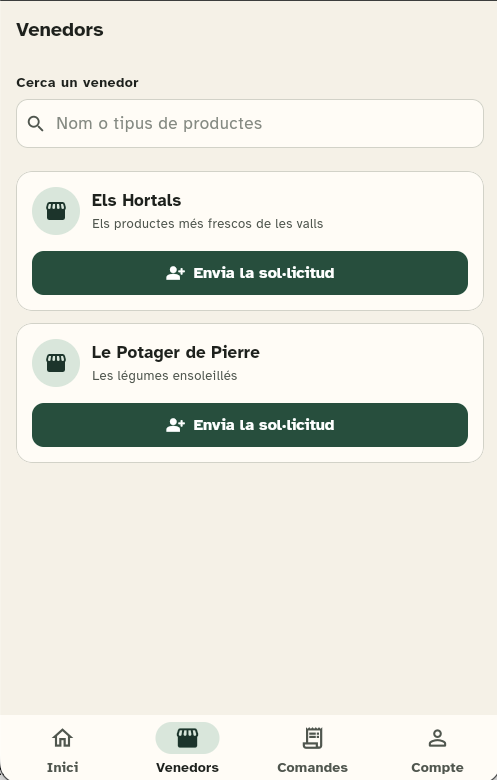
Find your vendor
Scan the QR code at the stall or search for the vendor and send a request.
Your usual shopping, made easier
Order from the vendors you trust, let them prepare your items and collect them directly at the market.
You pay the vendor directly when you collect your order.

For those who buy
Etaligo keeps the relationship of trust with your vendor and removes the waiting that adds nothing.
Scan the QR code at the stall or search for the vendor and send a request.
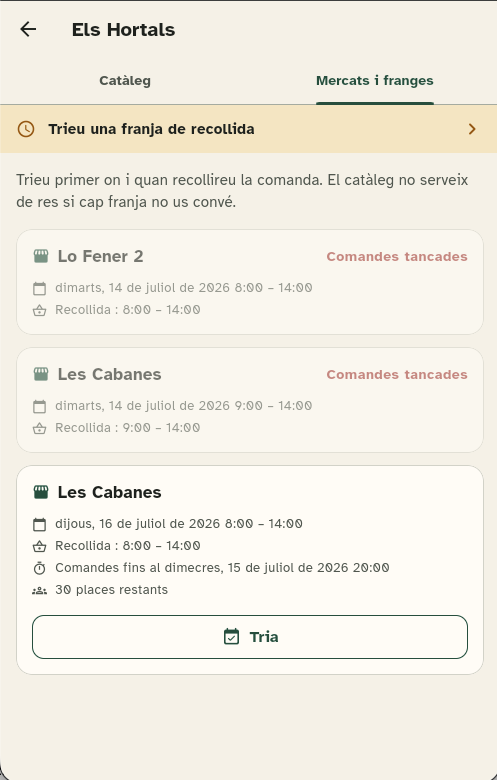
Browse the markets and pick an available collection slot.
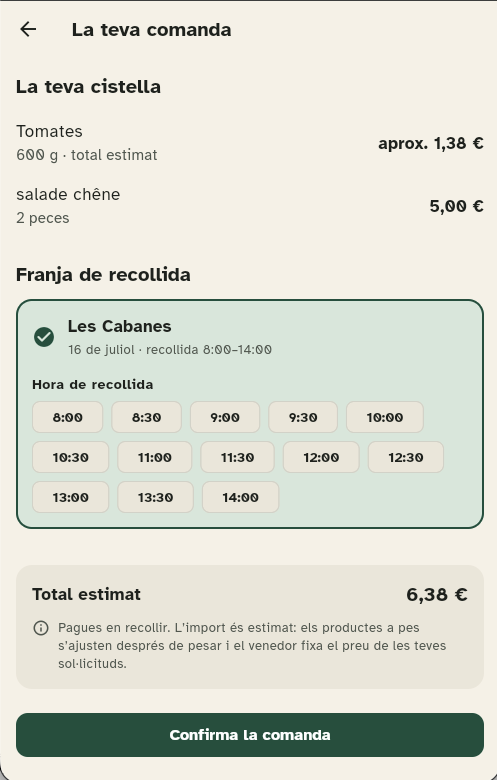
Add items by piece or by weight and check the estimated total.
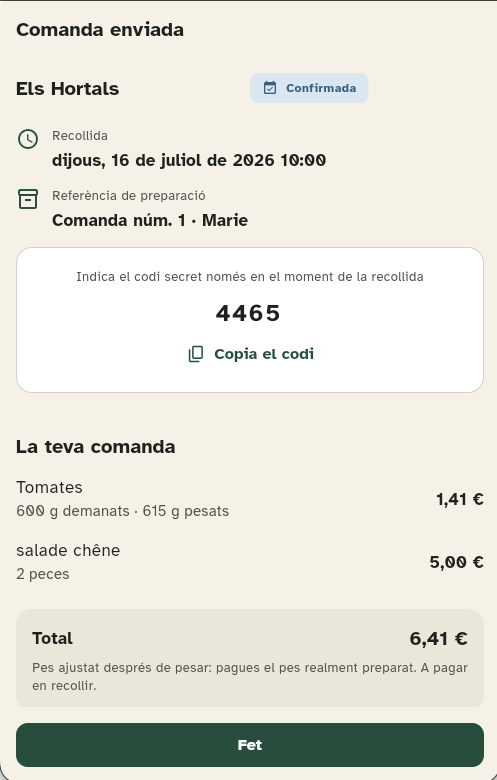
See the time, the final amount and the short code as soon as the order is ready.
Get a notification when the vendor confirms the order and when it is ready to collect. You choose what alerts you and what does not.
Say you will be late, ask for a change or clear up a doubt from the order itself, without phone calls or lost messages.
You pay for the weight actually prepared, not the estimate, and the history keeps every order with a breakdown of what you paid.
For those who sell
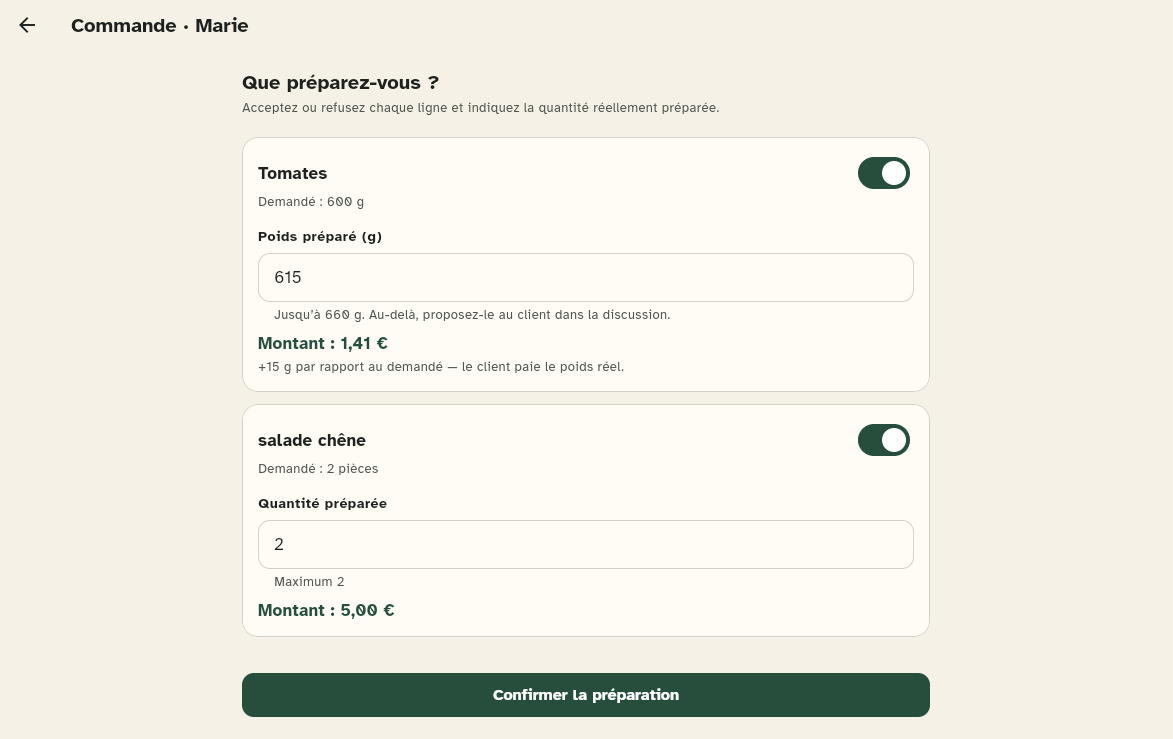
Receive orders in advance, organise the preparation and cut the waiting at the stall without turning your business into an impersonal shop.
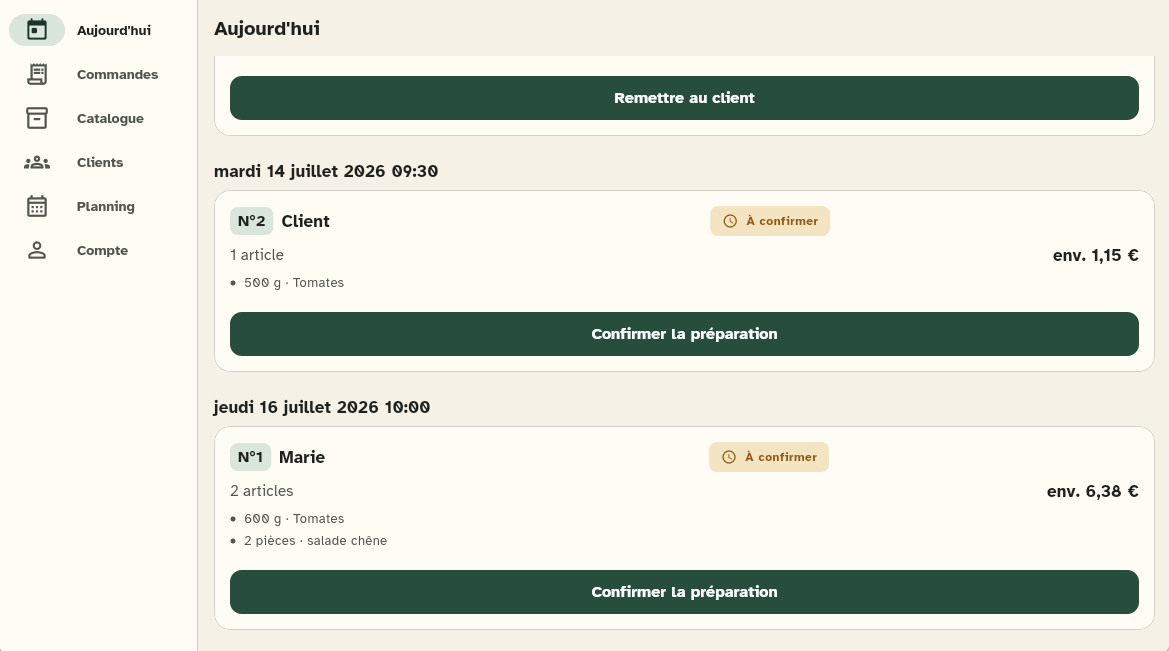
Set up markets, opening times, ordering windows, collection slots and capacity.
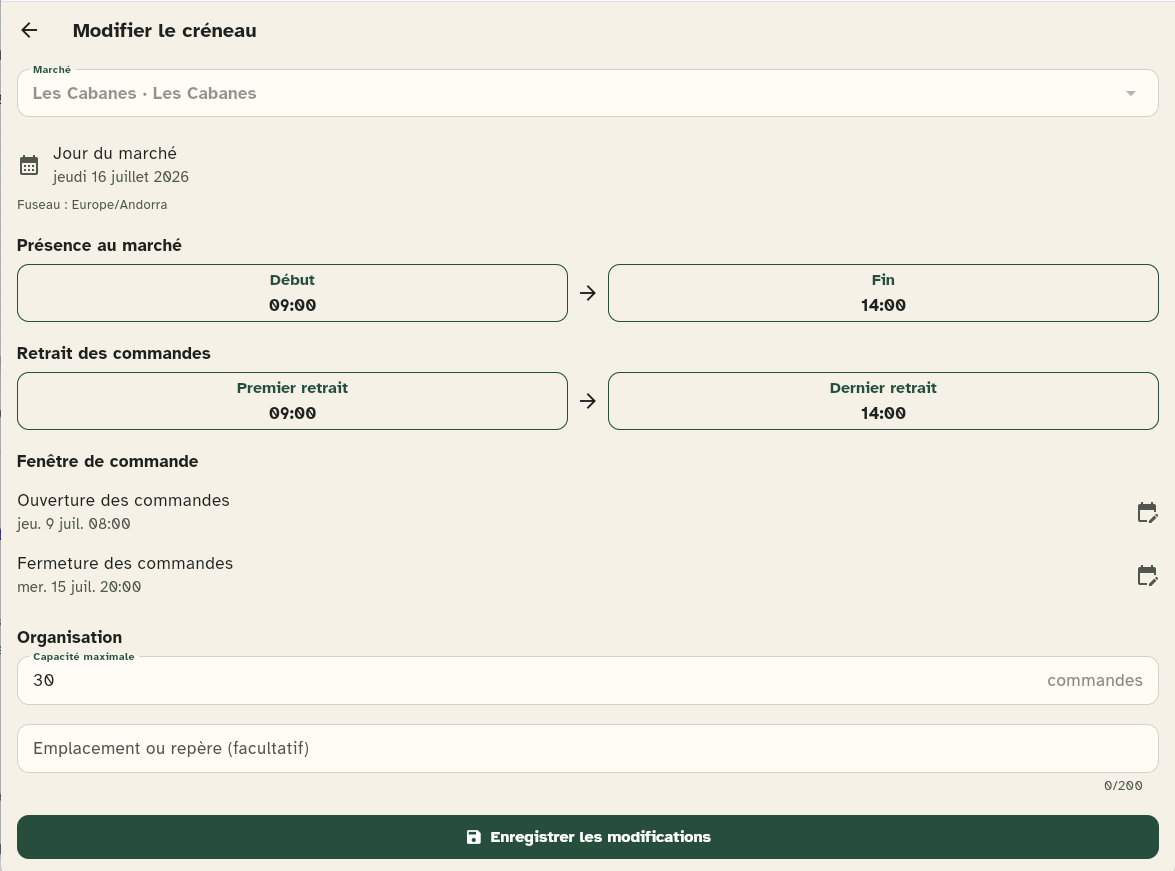
Manage products, prices, units, stock, photos and availability.
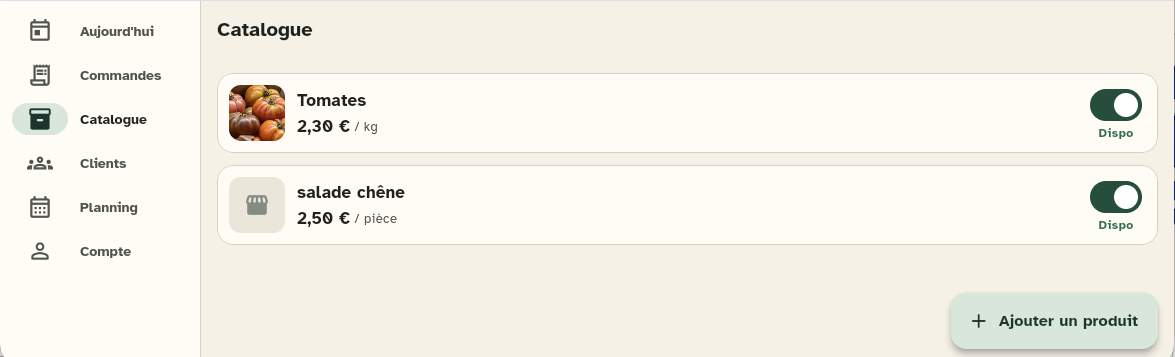
Confirm each line, enter the real weight and tell the customer about any change.
Download the template, fill it in with your spreadsheet and import it. Before publishing you see, row by row, what will be created and what will be updated, and you can export the whole catalogue to work on it in bulk.
Filter by period, status, customer or market, group them however suits you and check the confirmed amount: what is final and what is still estimated.
A notification on your phone for every new order, message or access request, even with Etaligo closed.
Professional plan
Etaligo is not trying to replace the stall or the personal contact. It helps you know what to prepare, for whom and at what time.
Per professional vendor. No commission on sales. Sign-up and invoicing outside the app.
I want to try EtaligoTaxes and terms depend on the country and your professional situation.
Common questions
No. The customer pays the vendor directly at collection. Etaligo takes no commission on the products.
No. The customer sends a request and the vendor decides whether to accept it before the first order.
The customer sees an estimated amount. The vendor enters the real weight during preparation and the app updates the final amount.
Yes. The vendor downloads a template, fills it in with Excel or any spreadsheet and imports it. Before publishing they see, row by row, what will be created and what will be updated.
Etaligo runs on the web and can be added to your phone's home screen to open like an app. On iPhone, this step is needed for notifications to arrive.
The market is still the market
Start with the vendors you already know, or talk to us if you want to offer Etaligo at your stall.